2.10 实战任务三:双臂倒水
本教程只适合双臂,单臂可跳过。
因为
lerobot_two_student代码做了修改,请先git pull或者下载最新版代码。欢迎大家将复现的效果分享到答疑群,也鼓励一下其他小伙伴!不限于课程讲的 VLA 算法和任务,老师会发红包奥!
效果视频:
现在我们可以进入激动人心的实战环节了,那就是双臂协同,我们将完整感受数据采集、训练、推理的流程。我们将学习:
-
采集
Lerobot格式的数据集 -
将训练 openpi 的
pi0(任务较复杂,ACT 那些可能完成不了) -
当然,现在主流的 VLA 模型都支持
Lerobot格式数据集,学完这模型,你可以尝试其他 VLA 模型!如果你希望使用
Lerobot框架下的策略(在src/lerobot/policies下),可以参考单臂训练方法: 8.实战任务一:单臂抓取放置(ACT、SmolVLA、Pi0)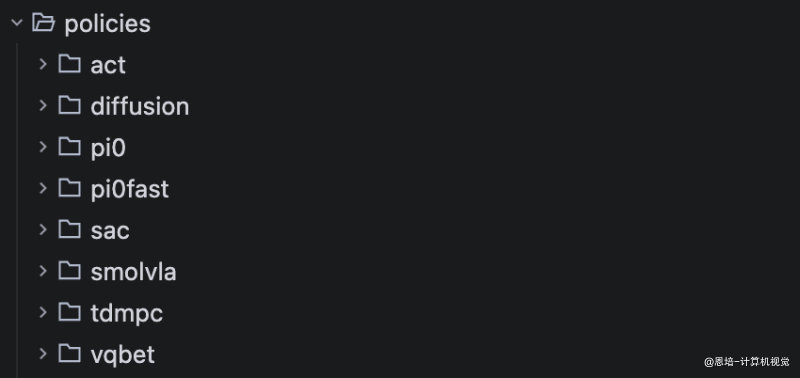
1. 准备
目标是:
- 一个手拿杯子,一个手拿矿泉水
- 倒水
- 放回原处
复习一下:先确保你按照《 5.双臂遥操系统校准、测试》的教程,能使用类似下面的指令跑通遥操作测试:
具体参数可能需要修改,不要机械复制。
python -m lerobot.teleoperate \
--robot.ip_address_left="localhost" \
--robot.port_left=12346 \
--robot.ip_address_right="localhost" \
--robot.port_right=12345 \
--robot.type=enpei_follower \
--robot.id=enpei_follower \
--robot.cameras="{ handeye_left: {type: opencv, index_or_path: 4, width: 320, height: 240, fps: 30}, handeye_right: {type: opencv, index_or_path: 0, width: 320, height: 240, fps: 30}, fixed: {type: opencv, index_or_path: 2, width: 320, height: 240, fps: 30}}" \
--teleop.type=enpei_leader \
--teleop.port_left=/dev/ttyACM1 \
--teleop.port_right=/dev/ttyACM0 \
--teleop.id=enpei_leader \
--fps=30\
--display_data=true \
--enpei_speed_mode=record
在正式采集数据之前,可能你需要调整一下 fixed 固定位相机的视角,要保证可以拍摄到实际操作场景,可以使用 rerun.io 检查:
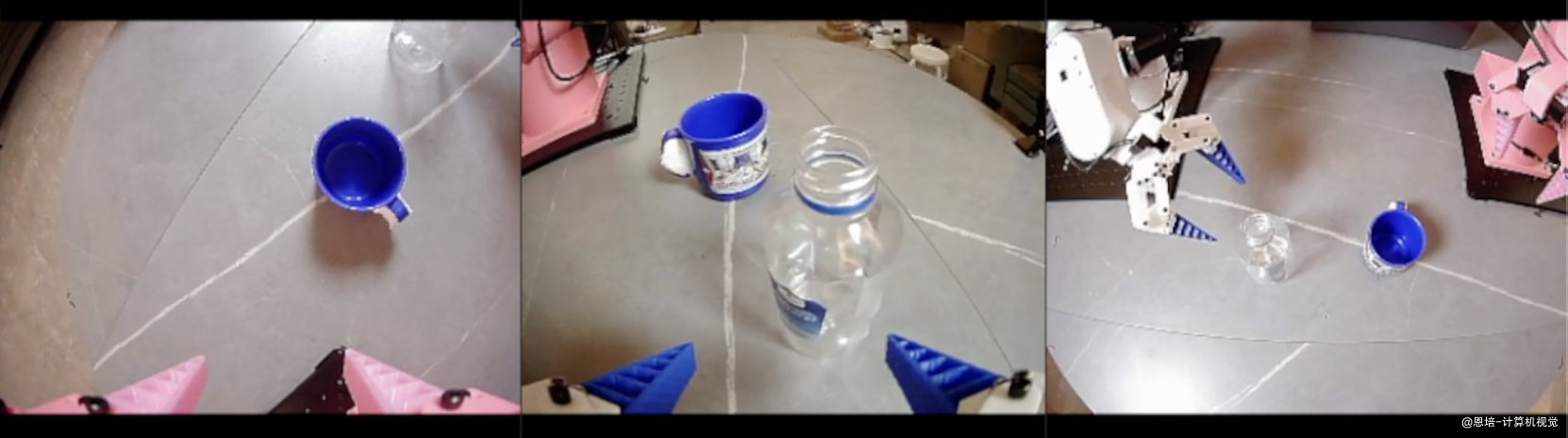
顺便检查一下固定位和腕部相机序号又没有错误。
2. 数据采集
现在我们来正式采集数据。
舵机夹爪不能长时间处在堵转状态下(夹着物品),否则可能会烧毁或变得卡顿。
如果摸着过热,可以暂停采集,脚本支持恢复采集。
2.1 采集指令
使用下面命令采集数据:
python -m lerobot.record \
--robot.ip_address_left="localhost" \
--robot.port_left=12346 \
--robot.ip_address_right="localhost" \
--robot.port_right=12345 \
--robot.type=enpei_follower \
--robot.id=enpei_follower \
--robot.cameras="{ handeye_left: {type: opencv, index_or_path: 4, width: 320, height: 240, fps: 30}, handeye_right: {type: opencv, index_or_path: 2, width: 320, height: 240, fps: 30}, fixed: {type: opencv, index_or_path: 0, width: 320, height: 240, fps: 30}}" \
--teleop.type=enpei_leader \
--teleop.port_left=/dev/ttyACM0 \
--teleop.port_right=/dev/ttyACM1 \
--teleop.id=enpei_leader \
--display_data=true \
--enpei_use_radian=true\
--dataset.repo_id=enpeicv/pour_water \
--dataset.push_to_hub=false \
--dataset.num_episodes=100\
--dataset.episode_time_s=30 \
--dataset.reset_time_s=5 \
--dataset.single_task="grasp the blue cup, grasp a bottle water, then pour water" \
--dataset.root=/media/enpei/娱乐/ubuntu_short_videos/pour_water
参数解释:
没有列入的参数,意味着使用默认值,如:
dataset.fps=30,更多参见代码src/lerobot/record.py
| 参数 | 是否需要修改 | 解释 |
|---|---|---|
robot.ip_address_left="localhost" |
✅ 是 | 左侧上位机 API 的 IP 地址 |
robot.port_left=12346 |
✅ 是 | 左侧上位机 API 的端口 |
robot.ip_address_right="localhost" |
✅ 是 | 右侧上位机 API 的 IP 地址 |
robot.port_right=12345 |
✅ 是 | 右侧上位机 API 的端口 |
robot.type=enpei_follower |
否 | 从臂类别,方便框架识别 |
robot.id=enpei_follower |
否 | 从臂 ID,方便框架识别 |
robot.cameras="{ }" |
✅ 是 | 相机配置参数 |
teleop.type=enpei_leader |
否 | 主臂类别,方便框架识别 |
teleop.port_left=/dev/ttyACM0 |
✅ 是 | 左主臂端驱动板端口,可通过 ls /dev/ttyACM* 查询 |
teleop.port_right=/dev/ttyACM1 |
✅ 是 | 右主臂端驱动板端口,可通过 ls /dev/ttyACM* 查询 |
teleop.id=enpei_leader |
否 | 主臂 ID,方便框架识别 |
display_data=true |
否 | rerun.io 可视化 |
enpei_use_radian=true |
✅ 是 | 是否使用弧度制(false 表示角度制)。 |
dataset.repo_id=enpeicv/pour_water |
✅ 是 | 采集数据后保存的 ID,如果数据推到 huggingface,可以使用 https://huggingface.co/datasets/enpeicv/pour_water 访问 |
dataset.push_to_hub=false |
否 | 是否将数据推到 HF,建议关闭 |
dataset.num_episodes=100 |
✅ 是 | 数据集一共采集的 episode 集数,一次成功的操作算是 1 个 episode |
dataset.episode_time_s=30 |
✅ 是 | 1 个 episode 采集需要的时长,根据任务耗时来决定 |
dataset.reset_time_s=5 |
✅ 是 | 重置时间,一般留给自己重置物品用(如把水果放回原位) |
dataset.single_task="grasp the blue cup, grasp a bottle water, then pour water" |
✅ 是 | 数据集描述,对于部分 VLA 算法(如 Pi0),需要用它作为文本提示 |
dataset.root=/media/enpei/娱乐/ubuntu_short_videos/pour_water |
✅ 是 | 数据集保存位置。(如不设置,默认位置:/home/enpei/.cache/huggingface/lerobot/enpeicv/pour_water ) |
启动后,便可以采集数据了,建议:
-
最好找一个帮手
-
默认
dataset.fps=30,遥操作有一定延迟,不要着急操作动作 -
先自己练习采集几个
episode,找到适合的dataset.episode_time_s(能把任务完整完成) 和dataset.reset_time_s(能快速重置场景),这样数据集不至于太大,采集、训练时间也可缩短。 -
物品放置建议:
- 一个位置录制 10
episodes,如下图:位置 1 位置 2 位置 3 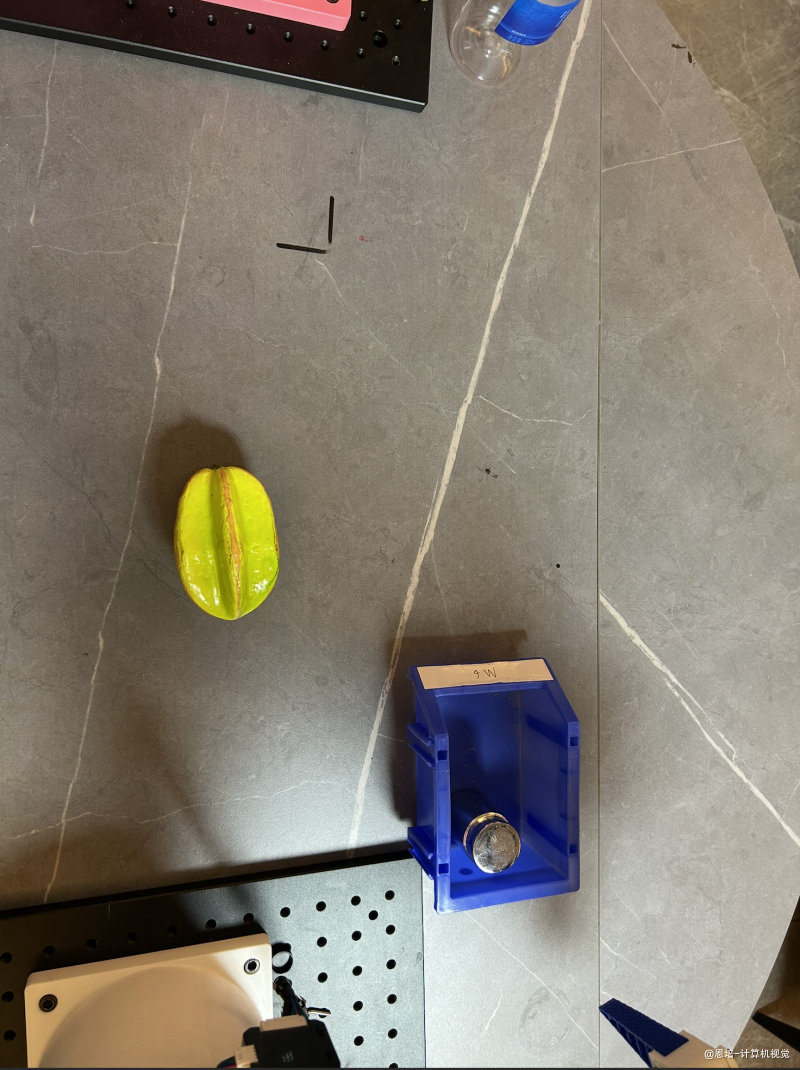
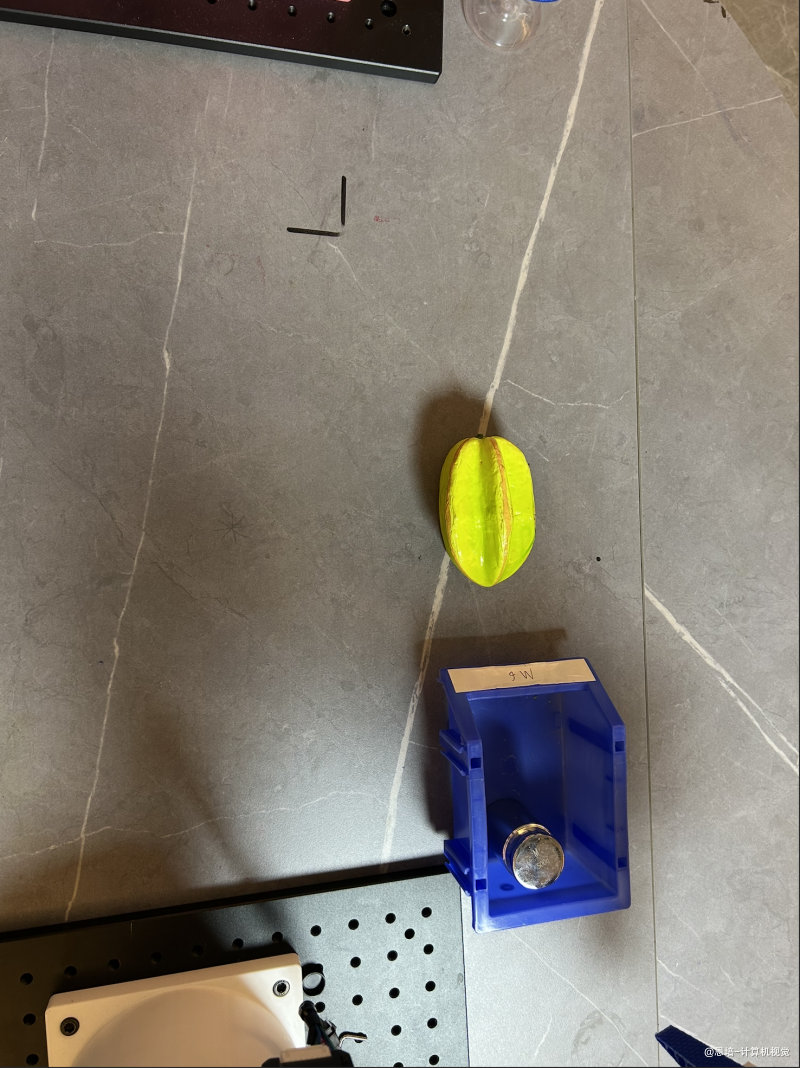
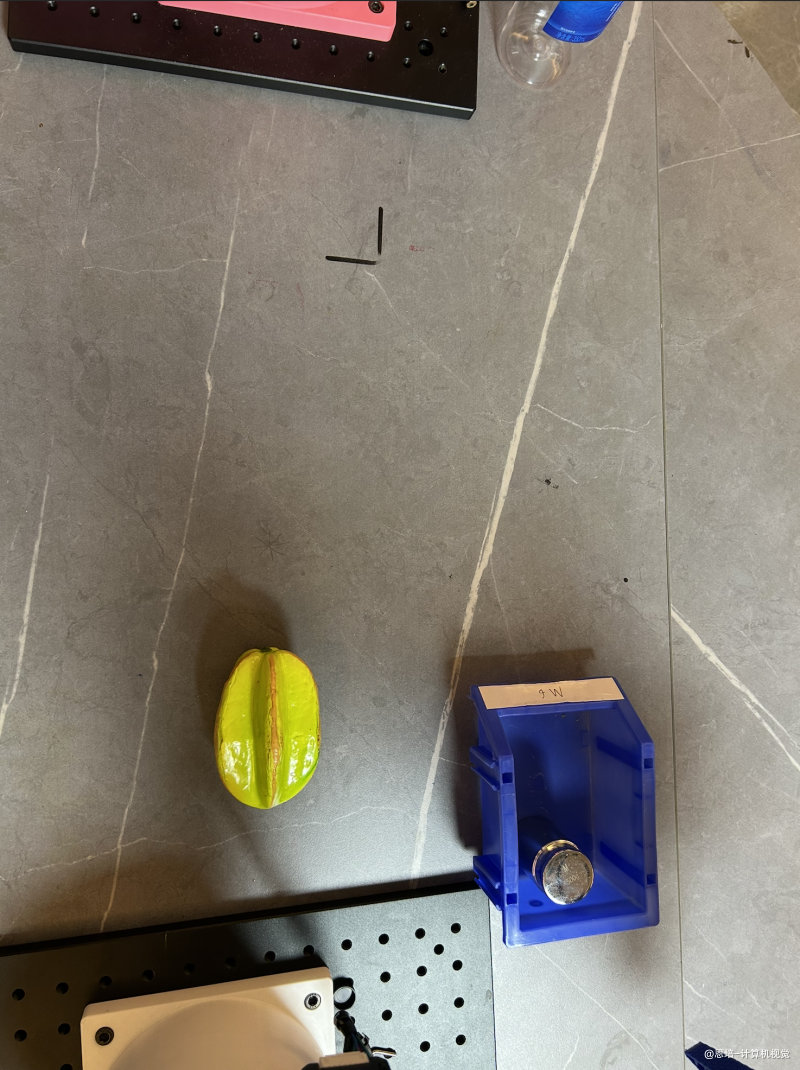
- 如果物体有角度区别,一个角度录制 10 个
episodes,如下图:角度 1 角度 2 角度 3 角度 4 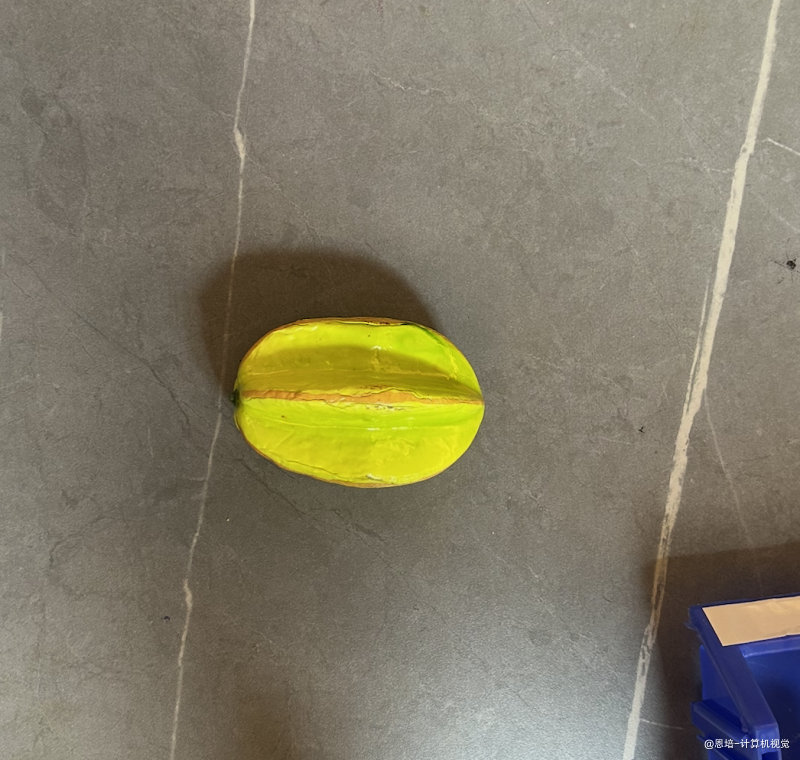
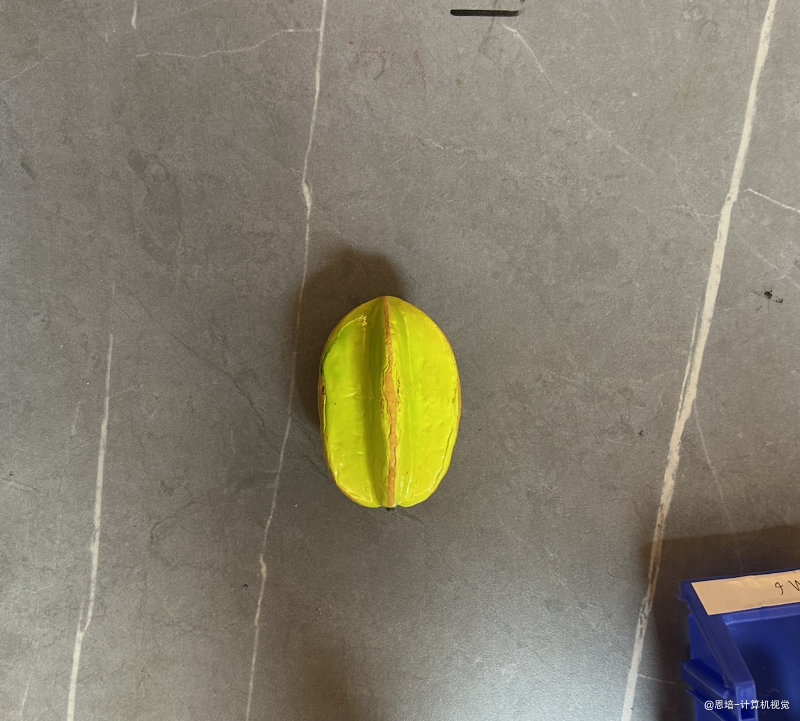
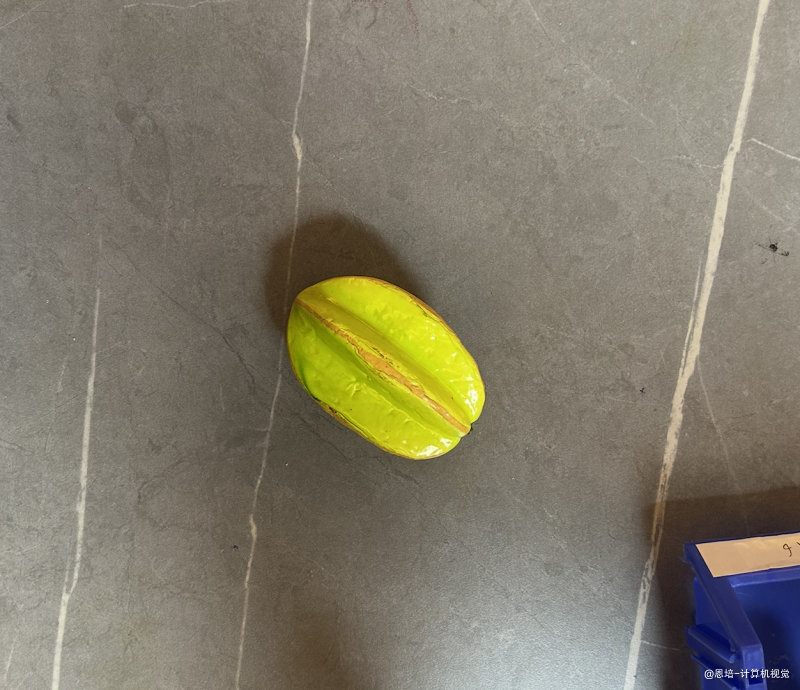
- 一个位置录制 10
-
episode录制集数,理论上越多越好,建议不低于 80 个
采集视频(2X 速度):
2.2 恢复采集
你可以随时中断采集,如果需要恢复采集,则可以跟上一个指令:
--resume=true
此时,dataset.num_episodes=10 意味着在已录制数据上额外增加 10 个 episodes,录制才会停止。
2.3 数据集可视化
我们使用网页可视化工具,查看录制或者转换好的数据集。
python src/lerobot/scripts/visualize_dataset_html.py --repo-id enpeicv/demo_move_fruit_degrees --port=3210 --root=/media/enpei/娱乐/ubuntu_short_videos/pour_water
repo-id数据集idport网页端口root数据集位置
打开浏览器 http://127.0.0.1:3210,会看到可视化见面:
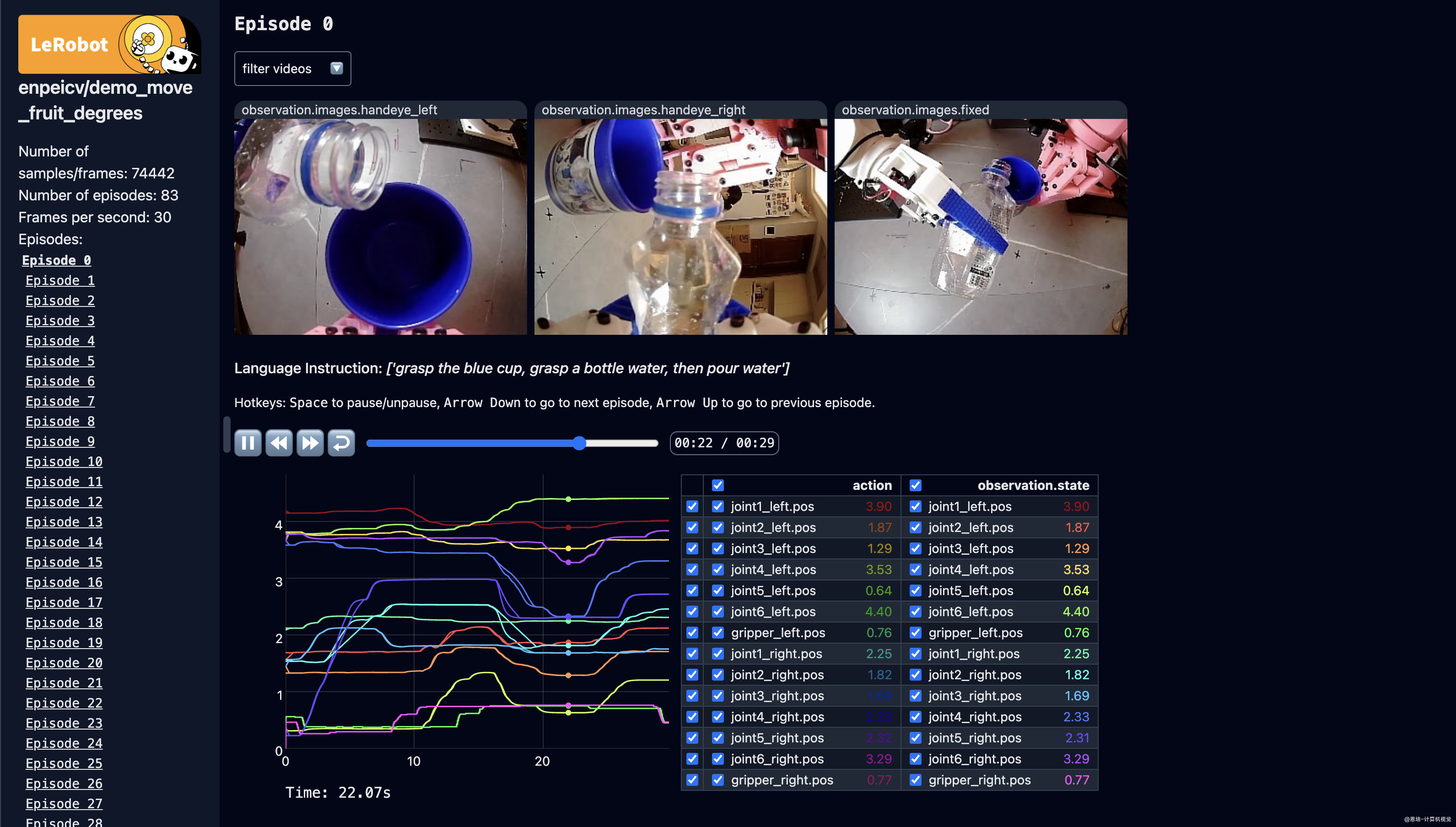
在训练之前强烈建议用可视化工具检查一下录制完成的数据
- 检查集数够不够
- 检查数据集中摄像头画面是否完整(非静态,要求是视频)
- 检查关节信息格式是否正确,如弧度制下是否有明显异常值(如大于
2*pi) - 检查关节信息是否有残缺
3. 训练
3.1 安装
-
训练和推理 Pi0 需要显存较大的显卡,我租赁的实例是 H20:
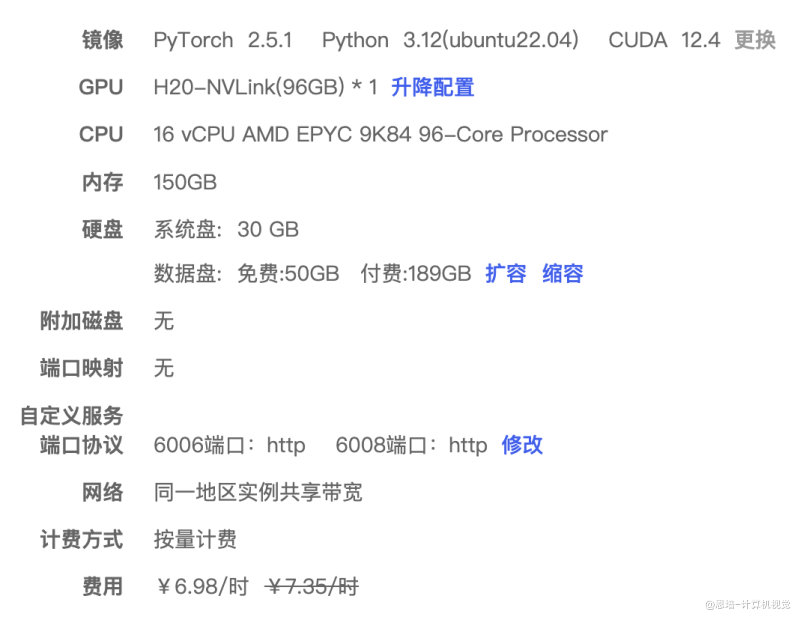
-
训练过程中 Pi0 会保存多个时间点的权重 Checkpoint,每次约消耗磁盘 12G,请尽量保证磁盘空间足够(Autodl 可以扩容磁盘),以免中断训练
-
首先需要安装 Pi0
# 克隆我改动后的代码 git clone https://github.com/enpeizhao/openpi_episode1_student.git # 安装 GIT_LFS_SKIP_SMUDGE=1 uv sync GIT_LFS_SKIP_SMUDGE=1 uv pip install -e .
3.2 转换数据
-
Pi0 必须是弧度制数据
-
转换 openpi 格式:
uv run ./examples/libero/lerobot2oppi_two.py \ --source-repo-id=enpeicv/pour_water \ --target-repo-id=enpeicv/pour_water_openpitwo \ --output-path=./enpei_dataset/pour_water_openpitwo \ --source-dataset-root=/root/autodl-tmp/openpi/enpei_dataset/pour_water \ --max-episodes=100source_repo_id源 IDtarget_repo_id转换后 IDoutput_path输出地址source_dataset_root源地址max_episodes最多转换集数
3.3 修改配置文件
- 预训练权重下载,解压到一个目录,比如这里的
/root/autodl-tmp/pi0_base/params - 参考
src/openpi/training/config.py的配置文件,将enpei_robot_pour_water_low_mem_finetune修改成自己的:
# 双臂配置
TrainConfig(
name="enpei_robot_pour_water_low_mem_finetune",
# Here is an example of loading a pi0 model for LoRA fine-tuning.
model=pi0.Pi0Config(paligemma_variant="gemma_2b_lora", action_expert_variant="gemma_300m_lora"),
data=LeRobotLiberoDataConfigTwoArms(
repo_id="enpeicv/pour_water_openpitwo",
root="./enpei_dataset/pour_water_openpitwo",
base_config=DataConfig(prompt_from_task=True),
),
weight_loader=weight_loaders.CheckpointWeightLoader("/root/autodl-tmp/pi0_base/params"),
num_train_steps=30_000,
# The freeze filter defines which parameters should be frozen during training.
# We have a convenience function in the model config that returns the default freeze filter
# for the given model config for LoRA finetuning. Just make sure it matches the model config
# you chose above.
freeze_filter=pi0.Pi0Config(
paligemma_variant="gemma_2b_lora", action_expert_variant="gemma_300m_lora"
).get_freeze_filter(),
# Turn off EMA for LoRA finetuning.
ema_decay=None,
),
重点修改 repo_id 和 root 为自己数据集(转换后的)。
3.4.4 计算 normalization
uv run scripts/compute_norm_stats.py --config-name enpei_robot_pour_water_low_mem_finetune
--config-name 后跟的是自己的配置名称。
3.5 训练
- 训练
XLA_PYTHON_CLIENT_MEM_FRACTION=0.9 uv run scripts/train.py enpei_robot_pour_water_low_mem_finetune --exp-name=pour_water_dual_arms --overwrite
-
开始训练的话,你会看到这样的输出(可以看到 Loss 降低):
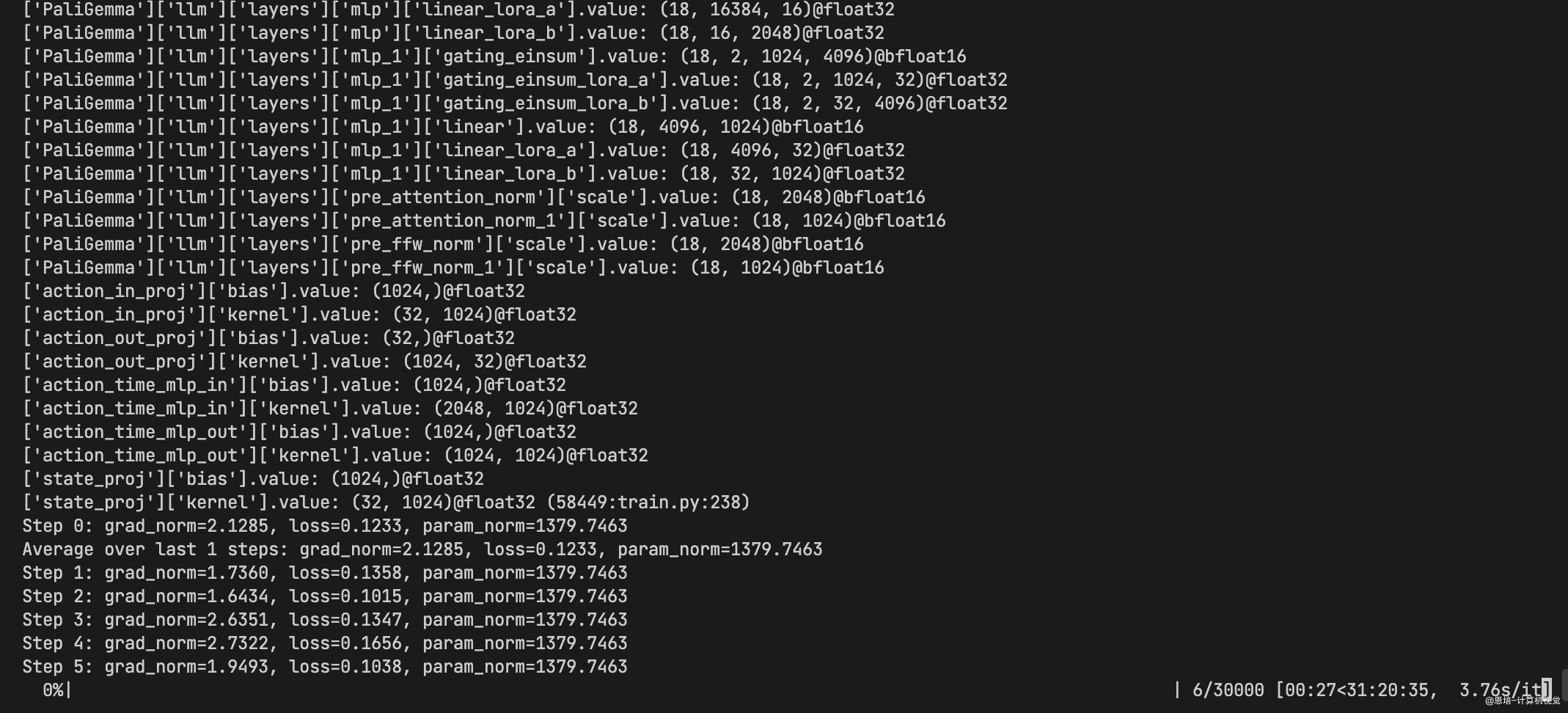
4. 推理测试
我们使用云端部署的方式运行。
4.1 服务端(openpi 环境)
uv run scripts/serve_policy.py policy:checkpoint --policy.config=enpei_robot_pour_water_low_mem_finetune --policy.dir=xxx
policy.config配置名称policy.dir训练好的权重地址
启动服务器后,他会暴露一个服务端口(默认是 6006):
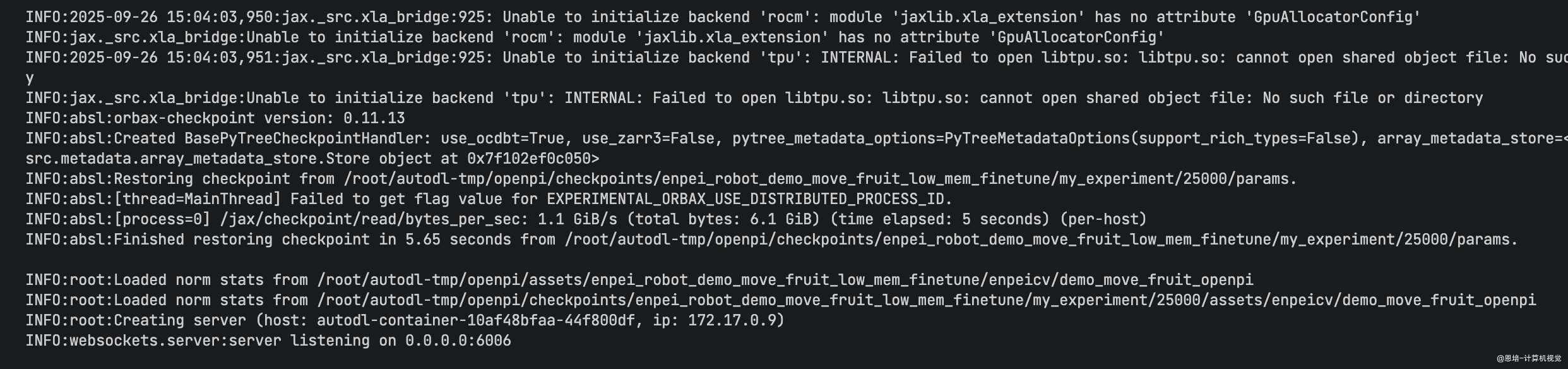
你需要保证:
-
客户端可以访问服务器这个 IP 和端口,端口没有被拦截
-
如果是
AutoDL环境,可以使用它的端口转发服务(自定义服务):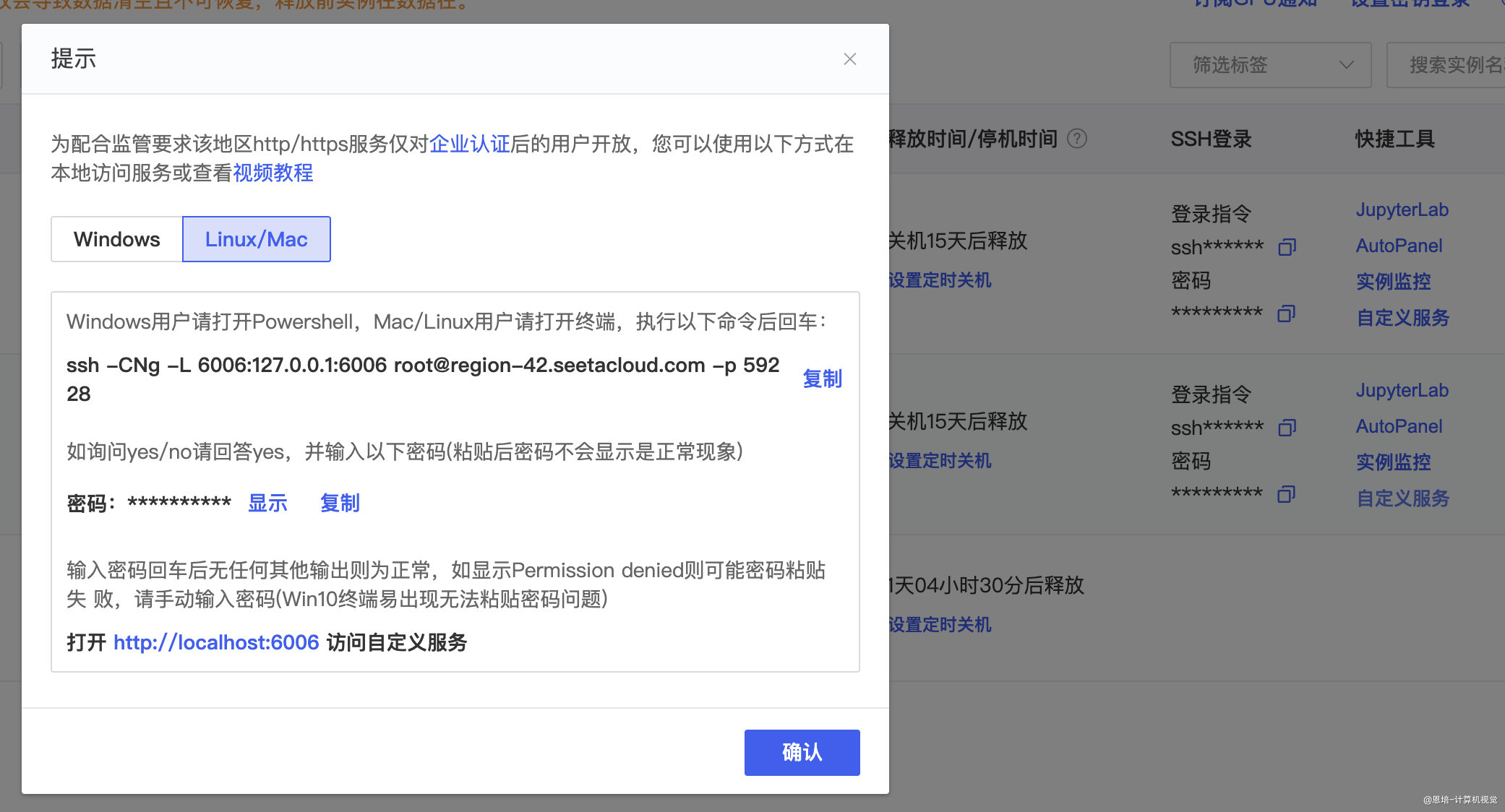
4.2.客户端(Lerobot 环境)
-
进入
Lerobot仓库代码,安装openpi-clientcd ./packages/openpi-client pip install -e . -
启动客户端
python -m lerobot.test_openpi \ --robot.ip_address_left="localhost" \ --robot.port_left=12346 \ --robot.ip_address_right="localhost" \ --robot.port_right=12345 \ --robot.type=enpei_follower \ --robot.id=enpei_follower \ --robot.cameras="{ handeye_left: {type: opencv, index_or_path: 0, width: 320, height: 240, fps: 30}, handeye_right: {type: opencv, index_or_path: 4, width: 320, height: 240, fps: 30}, fixed: {type: opencv, index_or_path: 2, width: 320, height: 240, fps: 30}}" \ --host=localhost \ --port=6006 \ --instruction="grasp the blue cup, grasp a bottle water, then pour water" \ --fps=30 \ --enpei_use_radian=truehost服务器地址(这里因为用了AutoDL本地转发,所以是localhost)port服务器端口instruction文本指令,保持和采集数据一致enpei_use_radian需要使用弧度制
-
测试视频(1X 速度)
▶
欢迎大家将复现的效果分享到答疑群,也鼓励一下其他小伙伴!不限于课程讲的 VLA 算法和任务,老师会发红包奥!
本套课程到这里就结束了,感谢大家支持,希望以后有缘再见!